If you want to change the default Windows cursor to something way cooler, then we're going to show you how using Stardock's CursorFX!
What is CursorFX?
CursorFX allows you to apply custom cursor themes to your Windows PC. Users can easily apply skins, shadows, motion trails and sounds to your cursors. CursorFX comes complete with several unique cursors installed so you can get started right away.
Get CursorFX here
Changing Your Cursor Theme
Once you purchase CursorFX, you can find your download in your Stardock account or download via the Object Desktop Manager. You can get your products and keys here. Once it's installed, start the application and you will see the main configuration screen.

By clicking the magnifying glass icon on the right of the selection, it will show the full preview of all the included cursor states. It will even preview the animations so you can see exactly what the cursor looks like in the center of the window you see the list of currently installed cursor themes.
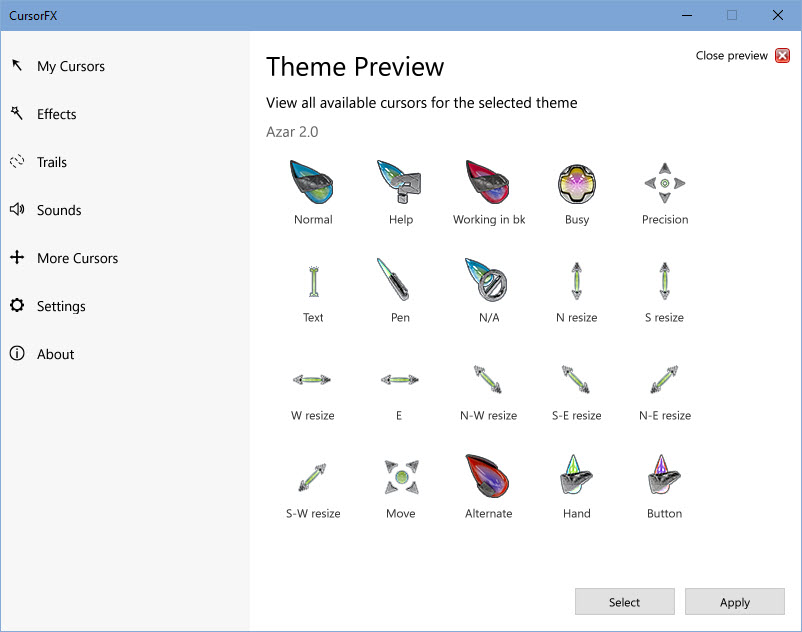
CursorFX by default comes with several themes included, but I will also show you where to get more later in the article. You can simply browse the list of cursor themes by scrolling through the list, and when you find one you like, just double-click the selection or hit the Apply button. That will automatically change your cursor to the selected one.
Special Effects
CursorFX adds many features including special effects and trails. In the main configuration window on the left side, you have a list of additional features like effects and trails.

You can select different cursor actions and states and apply the available effects to that selection. It's a fantastic way to add some more customization to your cursor theme.
Adjust Color, Size, and More
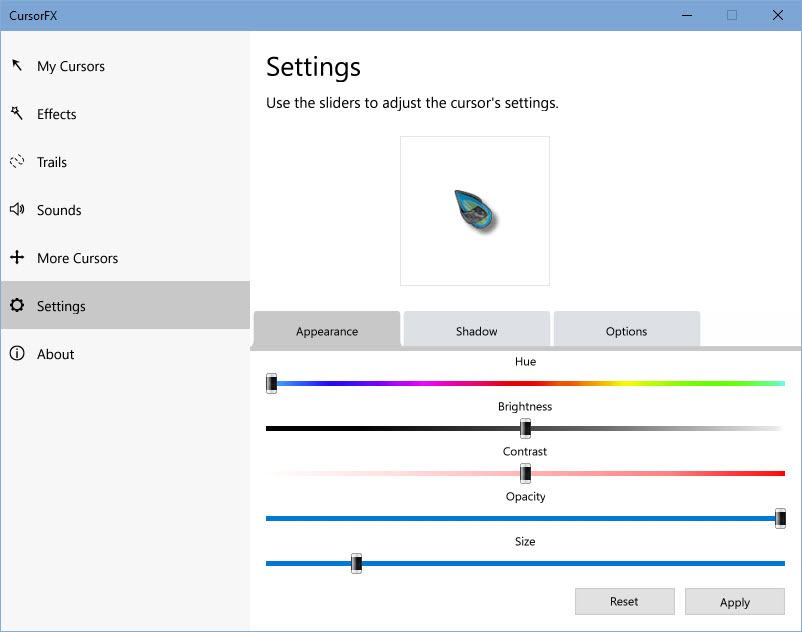
In the Settings menu, you will also have a variety of ways to customize our cursor even further. Here you can adjust the coloring of a cursor theme, increase/decrease the size of the cursor, add shadows, and more.
Getting More Themes
CursorFX includes several high-quality cursors, but no need to limit yourself to those. There are hundreds available on WinCustomize.com that you can download and use with CursorFX!
CursorFX gallery on WinCustomize